Ceykai / Creative Software / V2.2.1
Ceykai Media Studio
Website image updates, brought into one clear workflow.
Media Studio brings website image management into a local-first visual workspace, including for creators who built their sites with AI coding tools and want to maintain visual content themselves. Connect an existing project, find where images appear, replace and crop assets, save drafts, and review the result on the page. For supported publishing workflows, the process continues through change validation, isolated builds, deployment, and online verification.
- Current version
- V2.2.1 · Beginner UX Polish
- Format
- Local workspace
- Focus
- Website media · Visual editing · Publishing workflows
- Development
- In development
- Public availability
- Internal use only
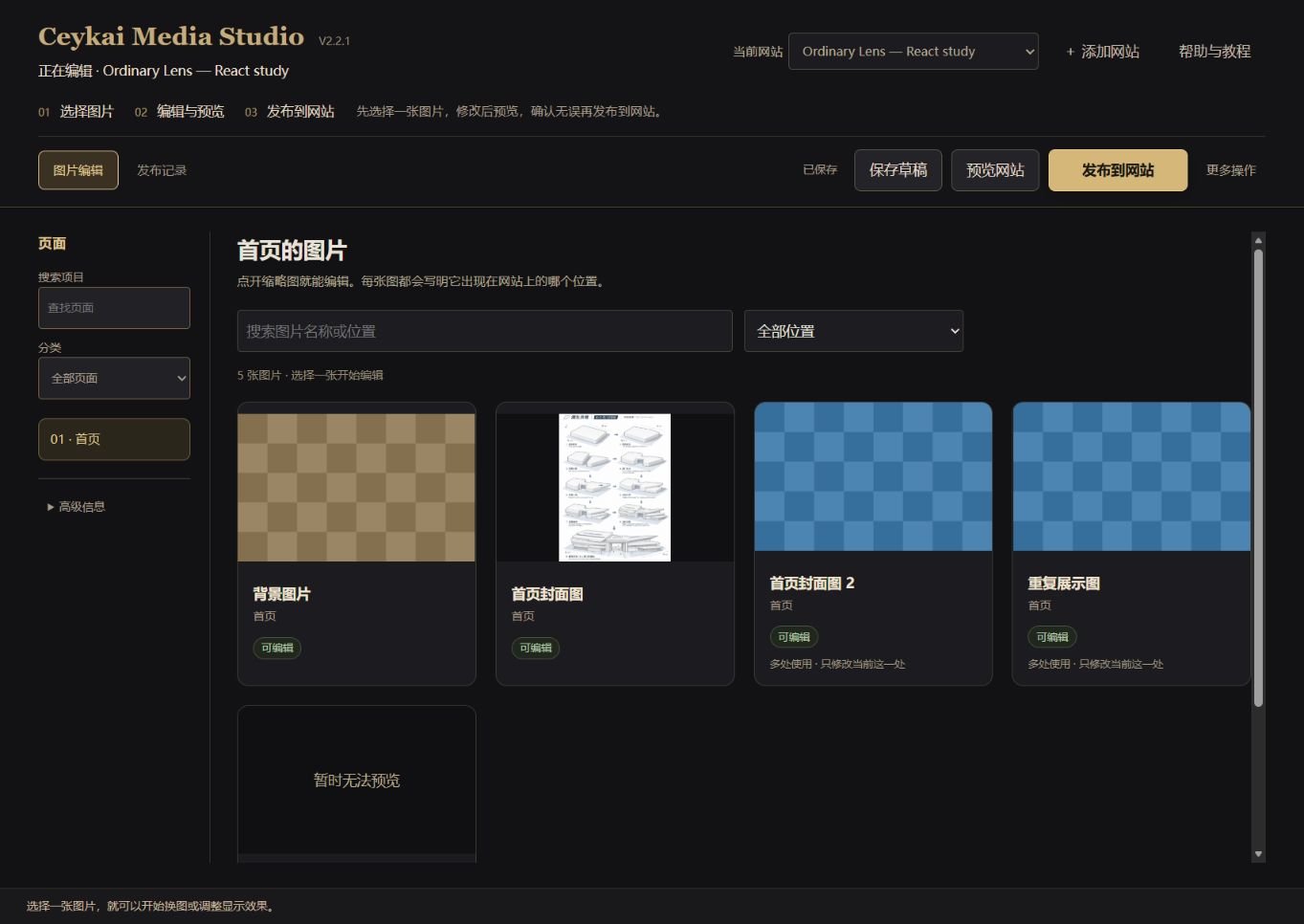
From site connection to updated images
- 01
Connect your site
Enter a local site URL and authorize its project directory. Media Studio maps image placements across supported asset structures.
- 02
Choose and edit
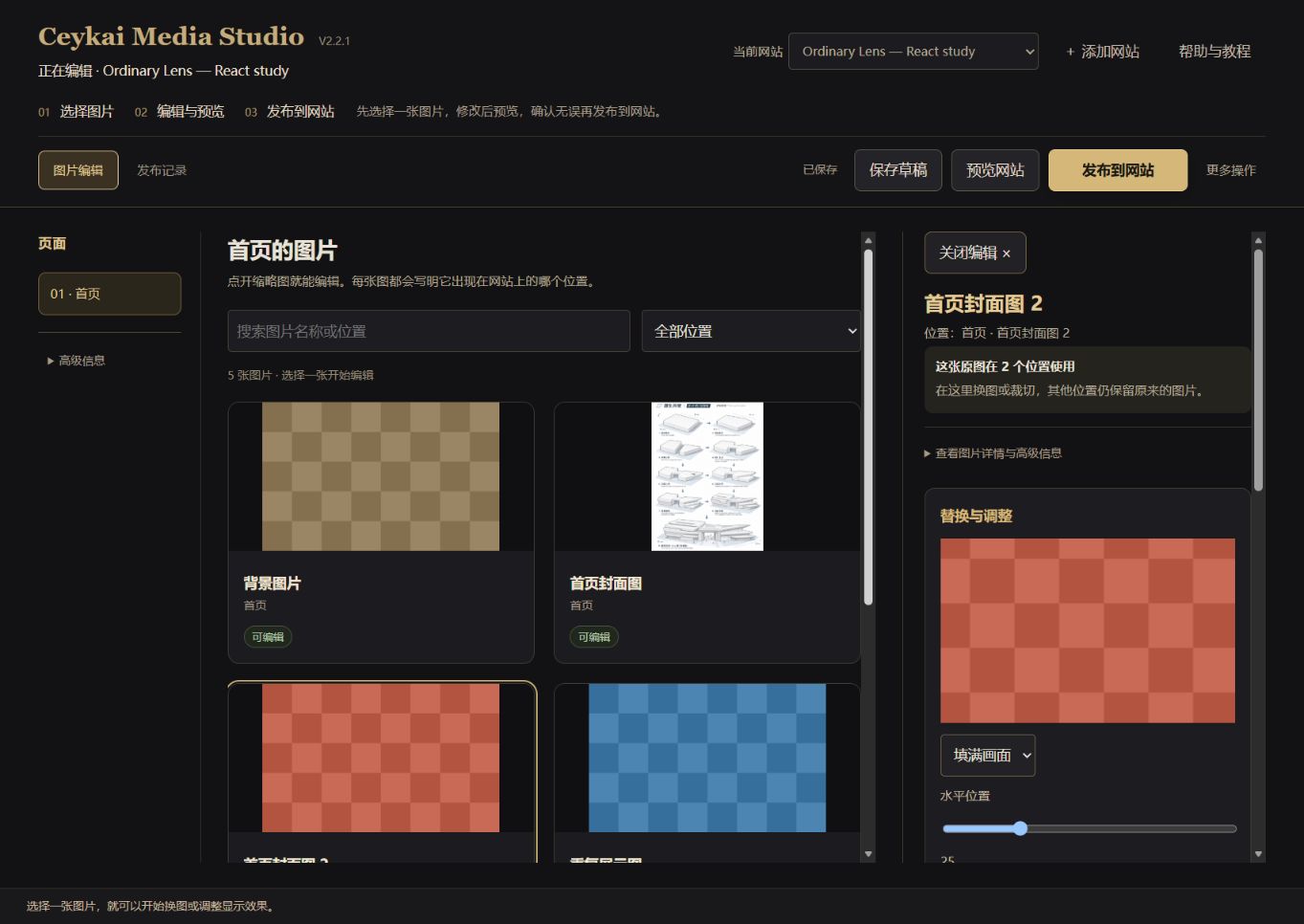
Find the relevant image card, upload a replacement, refine the crop, or restore the original. Preview and draft states remain available throughout editing.
- 03
Review your changes
Inspect how images appear on the page and manage the scope of shared references across different placements.
- 04
Publish the update
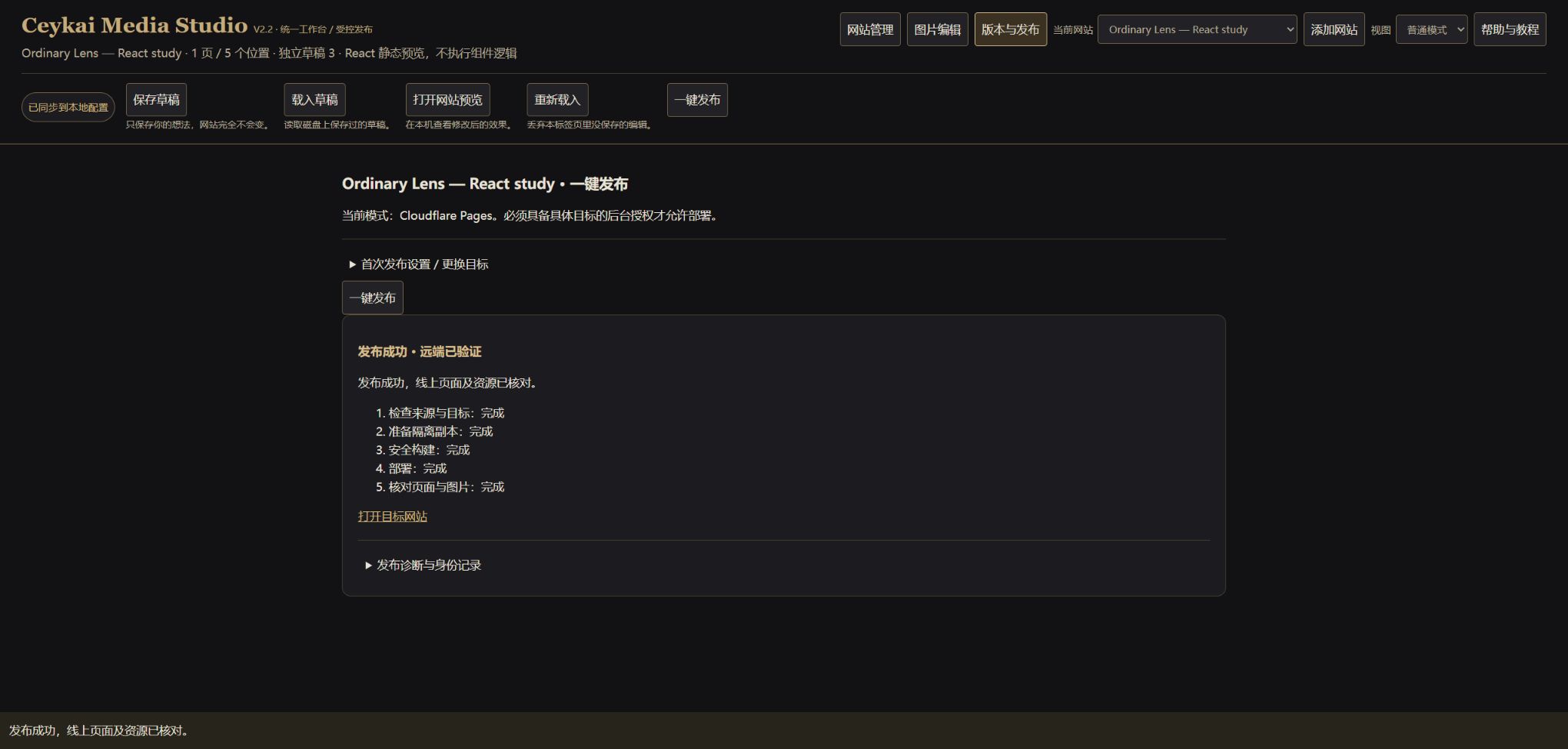
For supported deployment targets, one action runs saving, validation, an isolated build, deployment, and online checks, then returns a clear result.
What Media Studio brings together
Image placements you can navigate
Turn website image locations into recognizable editing entry points.
Visual cropping and preview
Replace assets, make non-destructive crops, restore originals, and review the updated page from one workspace.
Independent drafts and precise references
Keep editing states separate for each website and control which image placements receive an update.
Publishing with visible results
Bring validation, builds, deployment, and online resource checks into a single guided release flow.
A real publishing milestone
Ordinary Lens · 2026-11-08
React / Vite → Cloudflare Pages
On November 8, 2026, Media Studio published an updated Ordinary Lens test site through its one-click workflow. The revised cover and crop appeared correctly online while repeated references retained their original content.
All 18/18 remote asset hash checks passed, followed by a manual browser review.
View published test site (opens in a new tab)This link opens a website updated using Media Studio.
How the product evolved
- V0.1–V1.2
Building the workflow
Began with media management for CELIA Portfolio and developed a three-column workspace, cropping, preview, edit history, version awareness, and publishing checks.
- V2.0–V2.1
Connecting more sites
Tested image discovery, independent drafts, and reference control with the Field Notes static site and the Ordinary Lens React/Vite site.
- V2.2
Connecting editing to publishing
Established the one-click release workflow and verified a real React/Vite-to-Cloudflare Pages deployment.
- V2.2.1
Refining the experience
Unified the dark, warm-gold workspace and clarified the journey from site selection to image editing and publishing.
Current release
V2.2.1 — Beginner UX Polish
The current interface brings site selection, image cards, and publishing into one dark, three-column workspace. Technical paths and reference details stay available in contextual panels, keeping the main workflow easy to follow.
This version passed 47/47 automated and HTTP regression checks and 5/5 manual browser acceptance checks. The codebase is maintained as an independent Git repository.
Verified environments
- Image editing for static HTML/CSS sites
- Supported image sources in React 18 / Vite 6
- A one-click React/Vite-to-Cloudflare Pages publishing workflow